
MACC | ONE · Account Management
One screen for the whole relationship: services, CPNI, contracts, billing, tickets and history, with an AI summary on top so your team knows the story before they say hello.
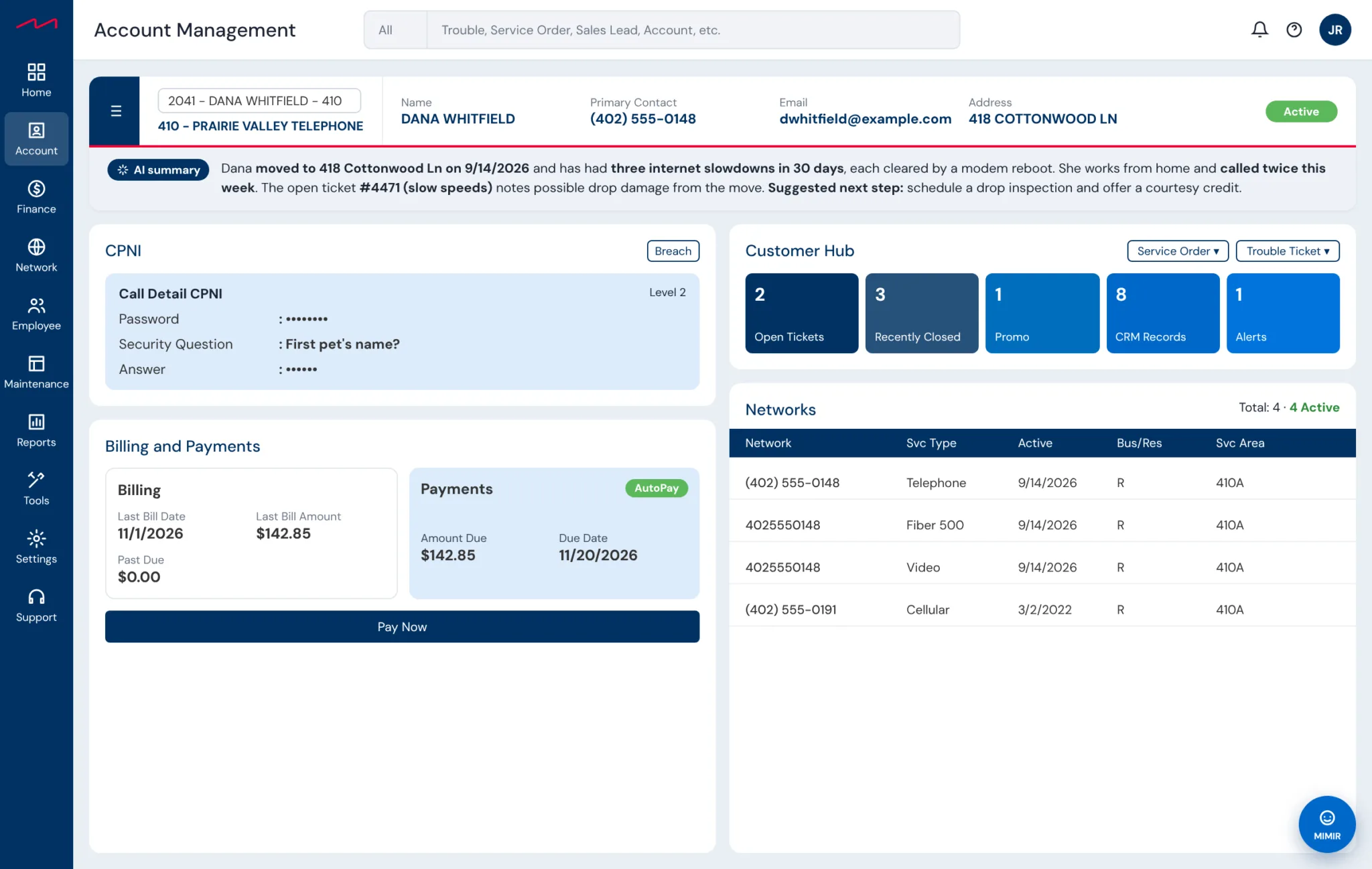
AI customer summaries
01
Search by name, phone, account or ticket number from anywhere in MACC | ONE.
02
Years of comments, tickets and changes are condensed into a few plain-English sentences.
03
Repeat outages, recent moves, name changes and past disconnects are called out in bold.
04
Your CSR knows what to check and what to offer, without scrolling through notes.
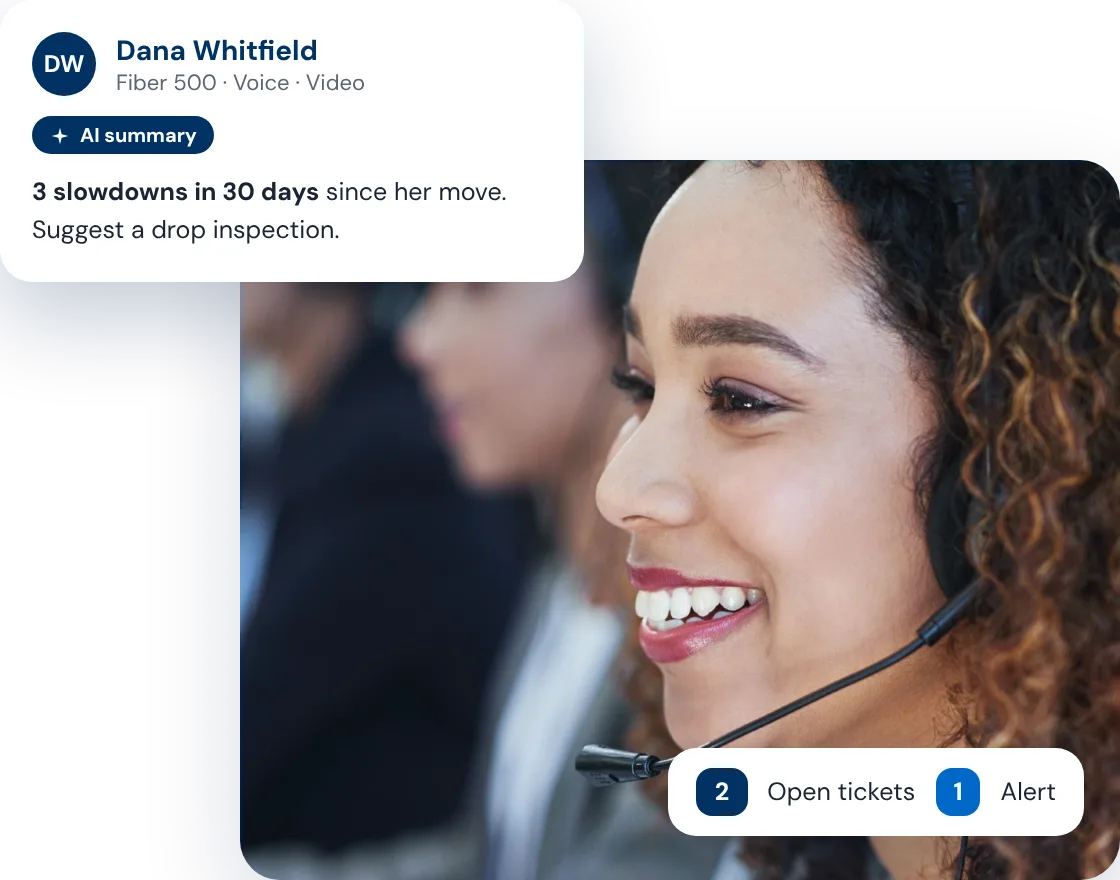
One account screen
Each panel is a widget. Arrange the layout around the work your team does most, and open the details you need from the side toolbar.
MiMiR on every account
Open MiMiR beside any account to pull up details, open a trouble ticket or add a note, without leaving the screen you’re on.
Level 1 and Level 2 authentication, security questions and a one-click Breach action, right on the account.
Open tickets, recently closed, promos, CRM records and alerts in one row. Click any tile to open the list.
Phone, internet, video and cellular services with status, dates, service area and address.
Contract terms, dates and subscribed networks, with expired contracts clearly flagged.
Report, tax and service areas, bill cycle and capital credit numbers, ready for co-ops and telcos.
Payments, service changes and notes appear the moment they are entered, in any browser.
One click from the account
FAQ
It is generated from the account’s own history in MACC | ONE, such as comments, tickets and service changes, and appears at the top of the account.
[Confirm with product: per user, per role, or company-wide?]
MACC | ONE now covers 98% of the day-to-day tasks teams do in Customer Master, and your data stays in sync between the two in real time.
No. MACC | ONE is fully cloud-based and runs in any modern browser.
Authentication levels, security questions and authorized contacts are stored and displayed on the account, with a Breach action for incidents.
Find info, open tickets and add notes by asking.
Describe any chart. AI builds it from live data.
Tickets, scheduler and critical alerts at login.
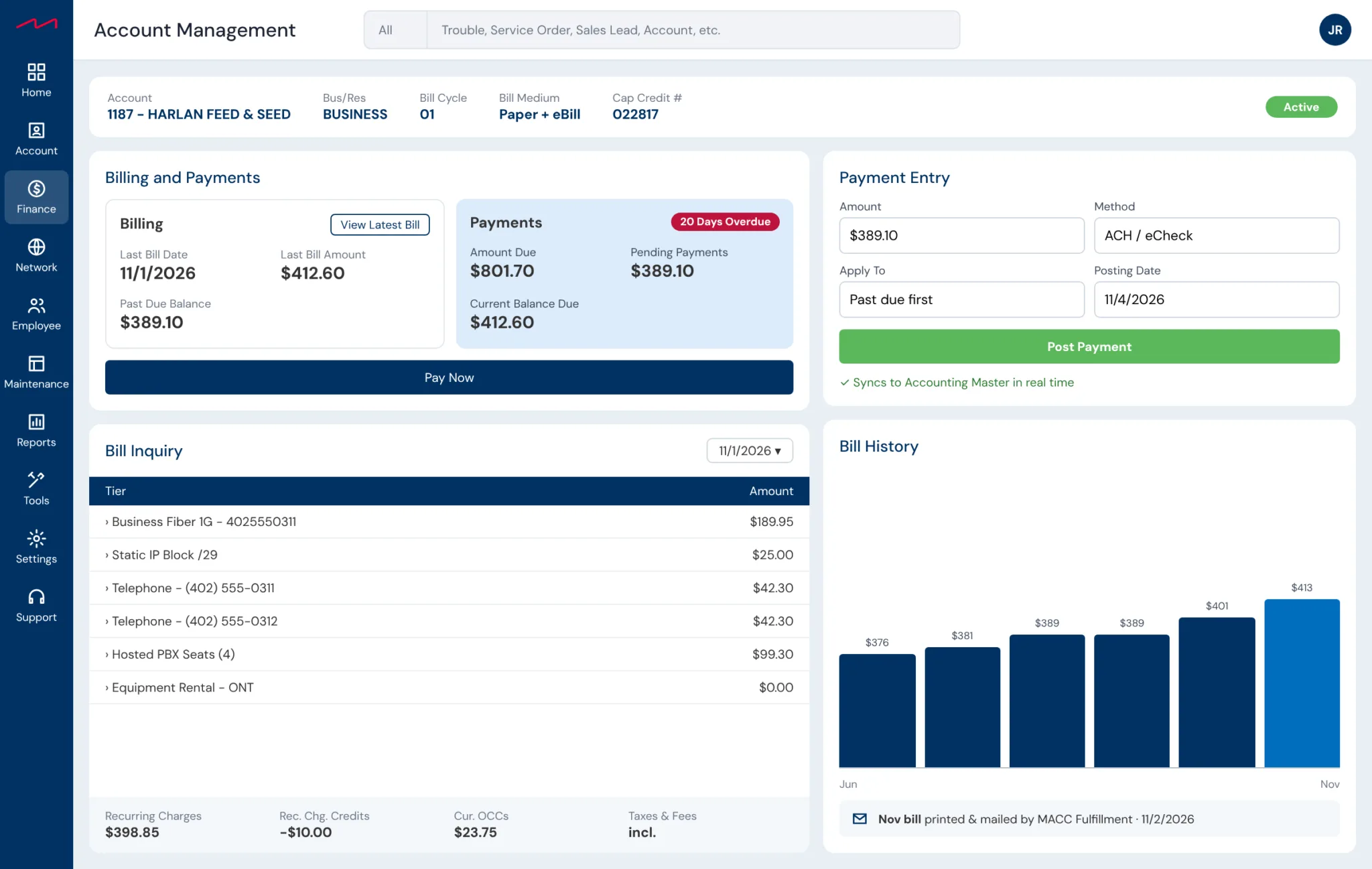
Tiers, charges and payments, synced with accounting.
See an AI customer summary on one of your own accounts in a live demo.