
MACC | ONE · AI Analytics & Insights
Describe what you want to see in plain English. AI builds the chart from your live MACC | ONE data, and you add it to your dashboard or export it. No report writers, no spreadsheets, no waiting on IT.
How Create Analytic works
01
Open Create Analytic from the Reports menu and type or speak your request, like “trouble tickets over the last 6 months.”
02
AI picks the right data and chart type: line, bar, donut, table and more. It shows exactly which data it used.
03
One click puts it on your Analytics Dashboard. Drag it where you want it, next to the charts you check every day.
04
Download as a CSV for deeper work or a PNG for your board packet, newsletter or rate case.

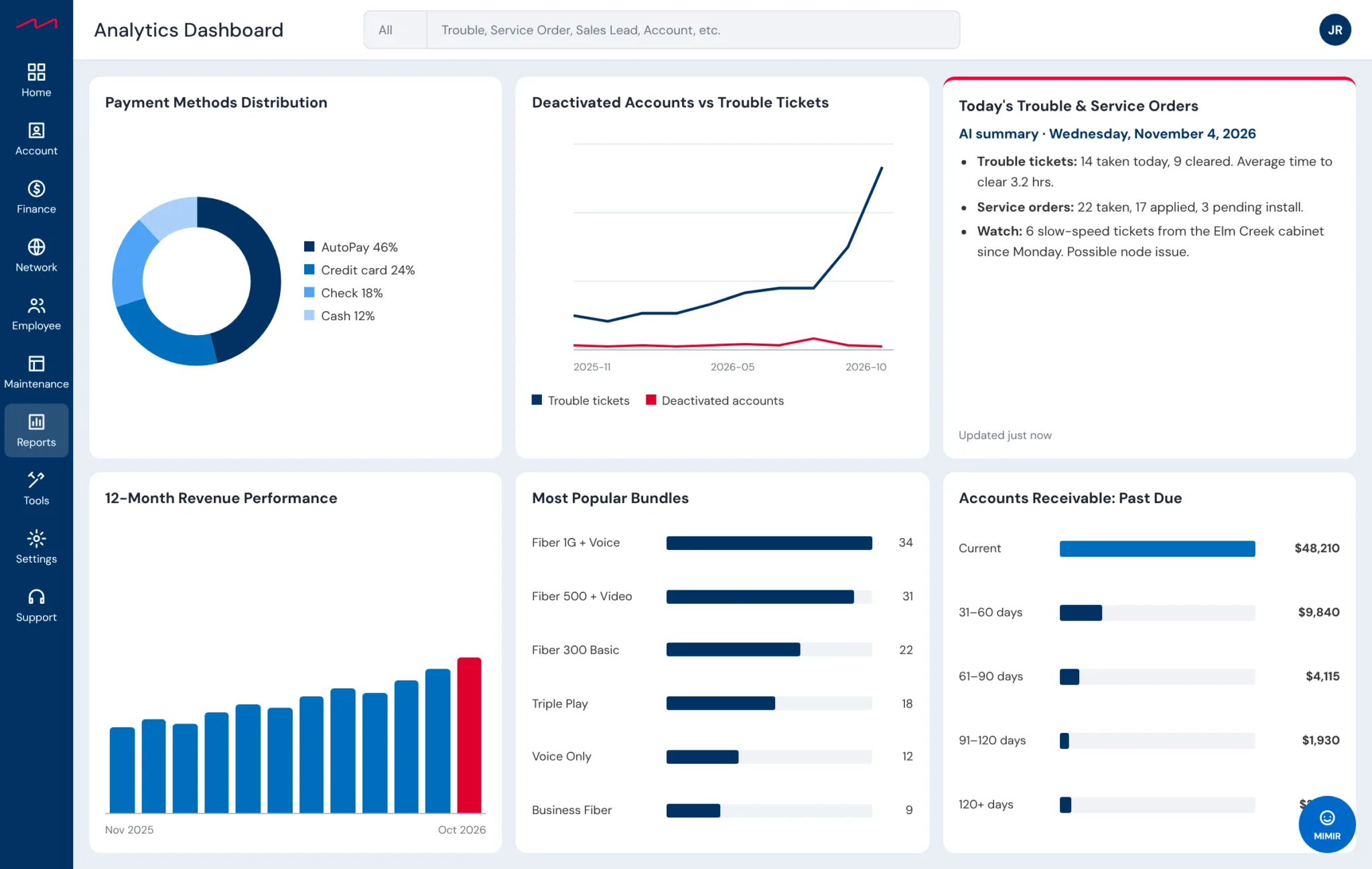
Analytics Dashboard
Day one, you get the charts telecom managers actually use. Keep them, rearrange them, or add your own with AI.
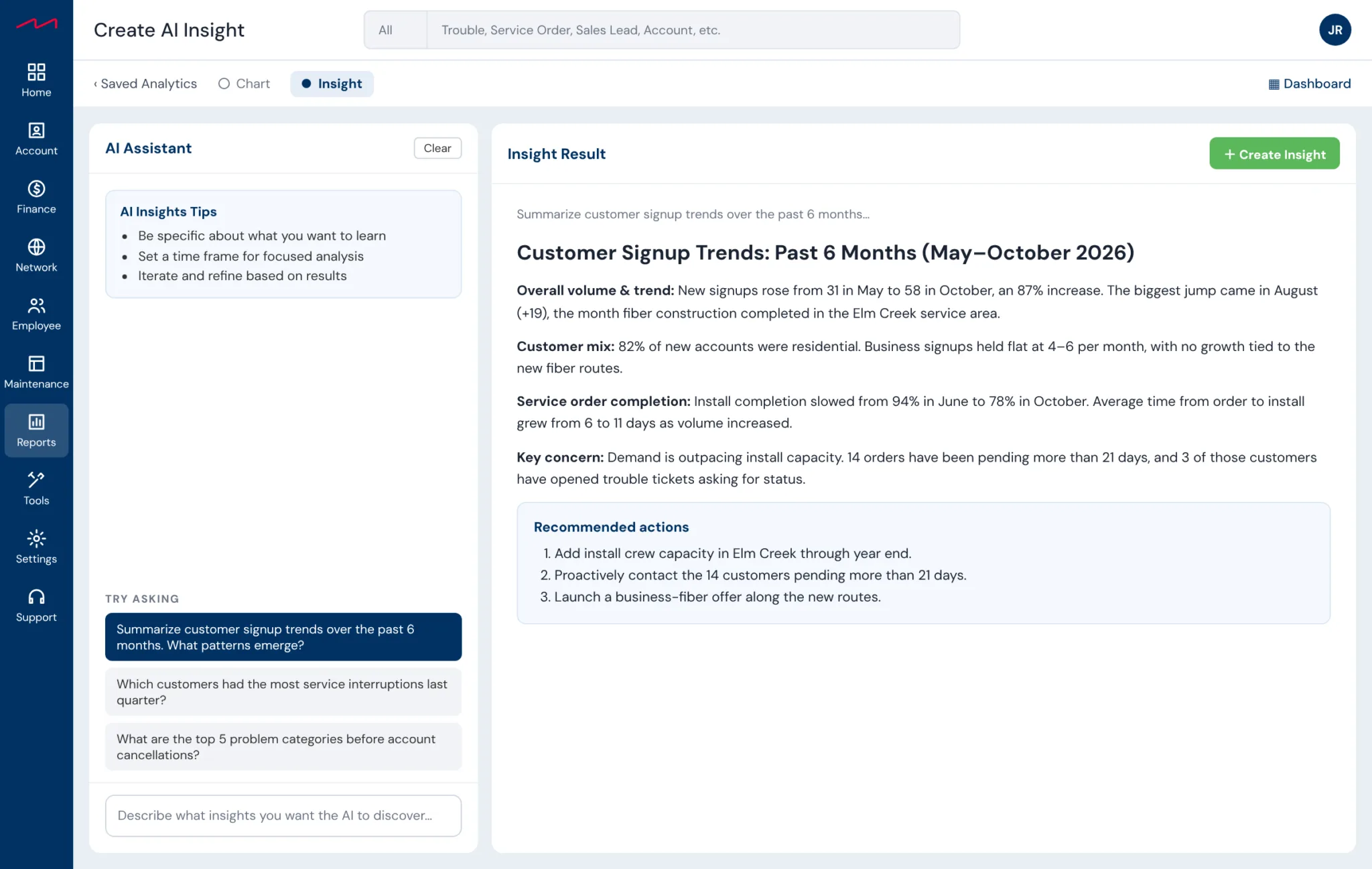
AI Insights
Switch from Chart to Insight and ask an open question. AI looks across signups, service orders, tickets and billing, then writes up the trend, the likely cause and recommended actions, in plain English your board will understand.
Start with pre-built charts, then drag and arrange your dashboard the way you work.
Pull the numbers into a spreadsheet or drop the chart straight into a presentation.
Today's tickets, orders and backlog, summarized in plain English, with anomalies flagged.
Charts read from the same data your CSRs and billing team work in, so the numbers always match.
Save the charts and insights you build and come back to them any time.
Every AI chart explains which data and fields it used, so you can trust what you share.
Try asking
FAQ
No. Describe the chart or question in plain English. AI chooses the data and chart type for you.
It works from your MACC | ONE data, including accounts, services, billing, payments, trouble tickets and service orders.
Yes. Export any chart as a CSV for spreadsheets or as a PNG image for presentations and reports.
Yes. Start with the pre-built charts, then add, remove and drag charts into the layout you want.
[Confirm with product: included for all MACC | ONE customers, or a separate package?]
[Confirm wording with product and security before publishing.]
A 360° customer view with an AI summary on top.
Find info, open tickets and add notes by asking.
Tickets, scheduler and critical alerts at login.
Tiers, charges and payments, synced with accounting.
Bring your questions to a demo and we’ll show you the answers in MACC | ONE.